Vigie: AI-Assisted Protection Against Phishing Links
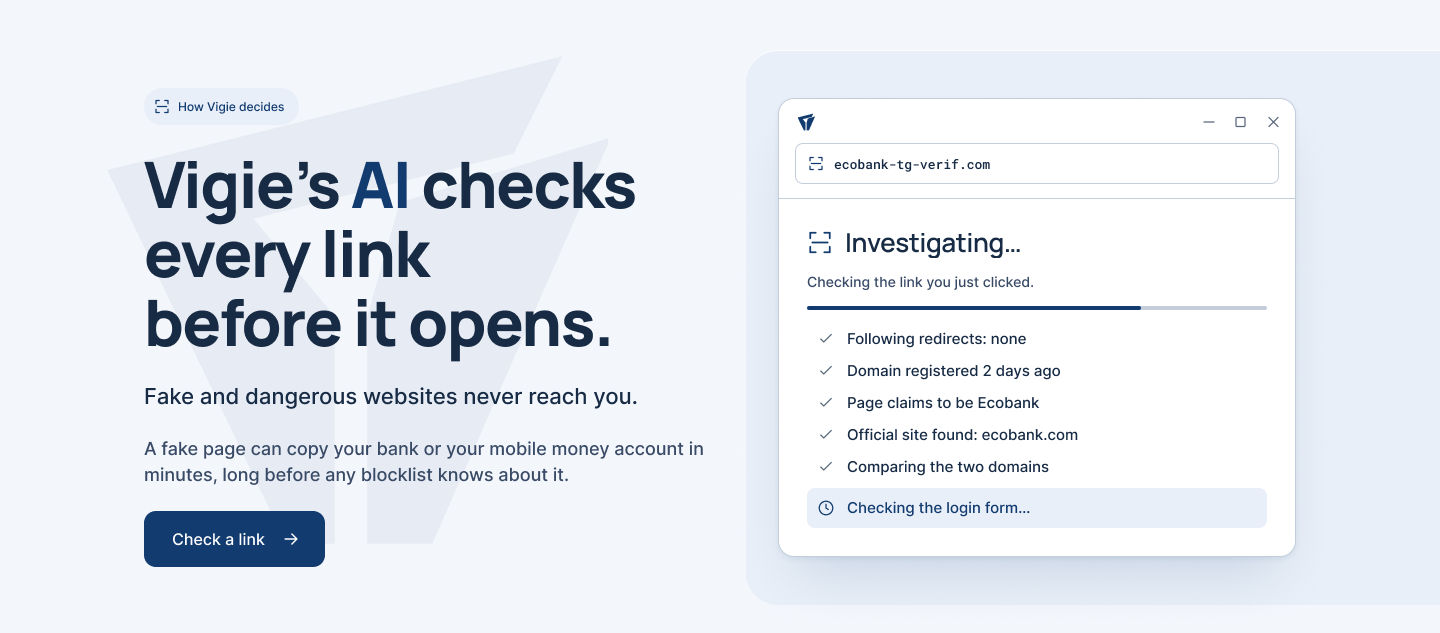
Vigie checks a link before the destination can reach the user. It was built for a familiar situation in Togo and across West Africa: a link arrives through WhatsApp, SMS, email or a document, and the page looks almost identical to a bank or mobile money service.
The project is available as a web application and a Windows desktop client. The source code is published on GitHub, and the web version can be tested at vigie.assimti-charles.tech.
Vigie keeps the destination closed while it checks the domain, redirects, page content and official brand website.
Why I built it
Traditional blocklists work well once a malicious address is known. The difficult period comes earlier, when a phishing page has just appeared and nobody has reported it yet. A page targeting a local bank or mobile money account can also receive less attention from global threat feeds.
Vigie adds an investigation step between the click and the website. On Windows, it can register as the default browser. Links clicked in Outlook, WhatsApp or a PDF reach Vigie first. A safe destination then opens in the user’s usual browser.
How a link is checked
The server first builds a case file without using AI. It follows redirects, inspects the address for lookalike characters and misleading brand names, checks the age of the domain, studies what the page asks the visitor to enter and searches for the brand’s official website.
Known threats are checked against Google Safe Browsing, VirusTotal, URLhaus and OpenPhish. When one of those sources already identifies the link as malicious, Vigie blocks it without calling the language model.
For an unknown link, GPT-4.1 mini reads the collected case file and returns a verdict with reasons. Gemini 3.5 Flash is available as a fallback. Fixed safety rules run after the model and can make the verdict stricter, but they cannot overturn a blocked verdict to open the page.
The result has three possible states:
| Verdict | Behaviour |
|---|---|
| Safe | The destination opens in the usual browser after a five-second delay. |
| Blocked | Vigie explains the risk and provides no button to open the page. |
| Unverifiable | The checks could not finish, so the destination stays closed. |
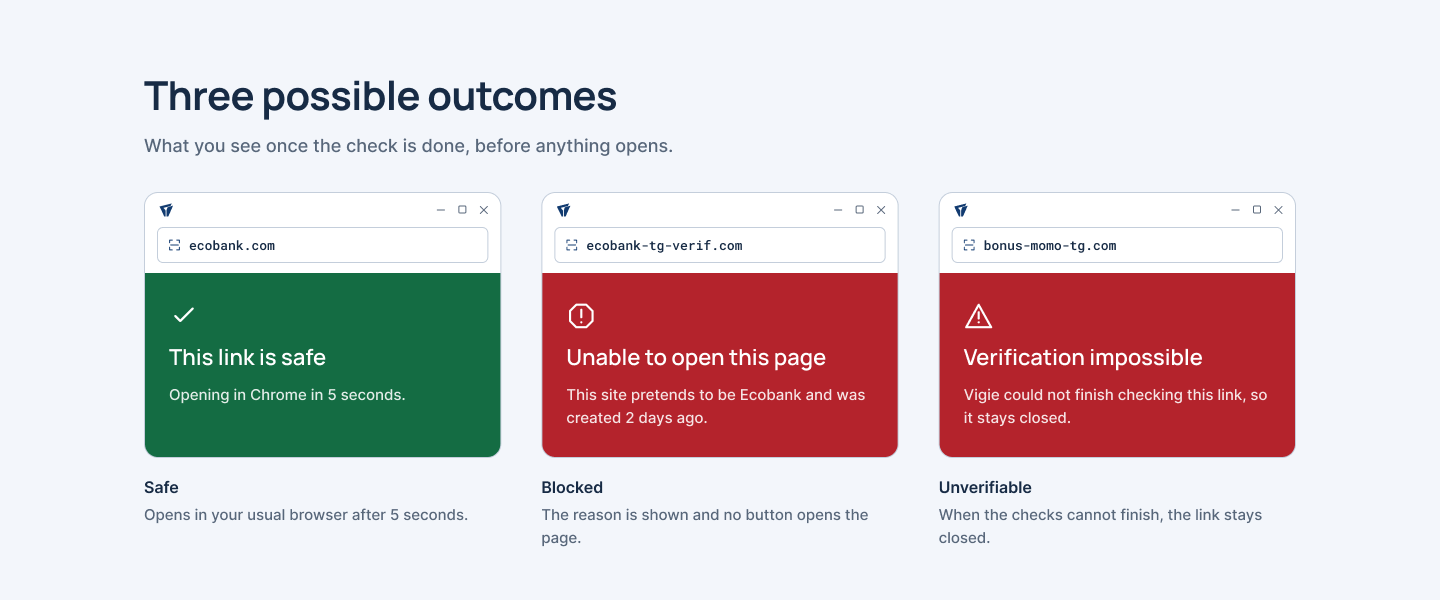 A verdict is shown before navigation. If the evidence is incomplete, the link remains closed.
Test results
I evaluated Vigie on 14 October 2026 with 120 links: 60 live phishing links from OpenPhish and 60 legitimate websites belonging to banks, mobile operators, public services and commonly impersonated platforms.
| Result | AI alone | Full Vigie pipeline |
|---|---|---|
| Phishing links blocked | 53/60 (88%) | 59/60 (98%) |
| Legitimate sites allowed | 57/60 (95%) | 57/60 (95%) |
The AI returned a decision in 3.2 seconds on average. Three legitimate services were stopped: Bank of Africa, Airtel Africa and Binance. That false-positive rate is the main issue I need to improve. The evaluation script is included in the repository, and blocklist results are hidden during the AI-only test.
Web and Windows
The web application accepts a pasted or wrapped link. The Windows client goes further by becoming the system’s default link handler. It performs the check, displays the evidence and passes a safe link to the browser selected by the user.
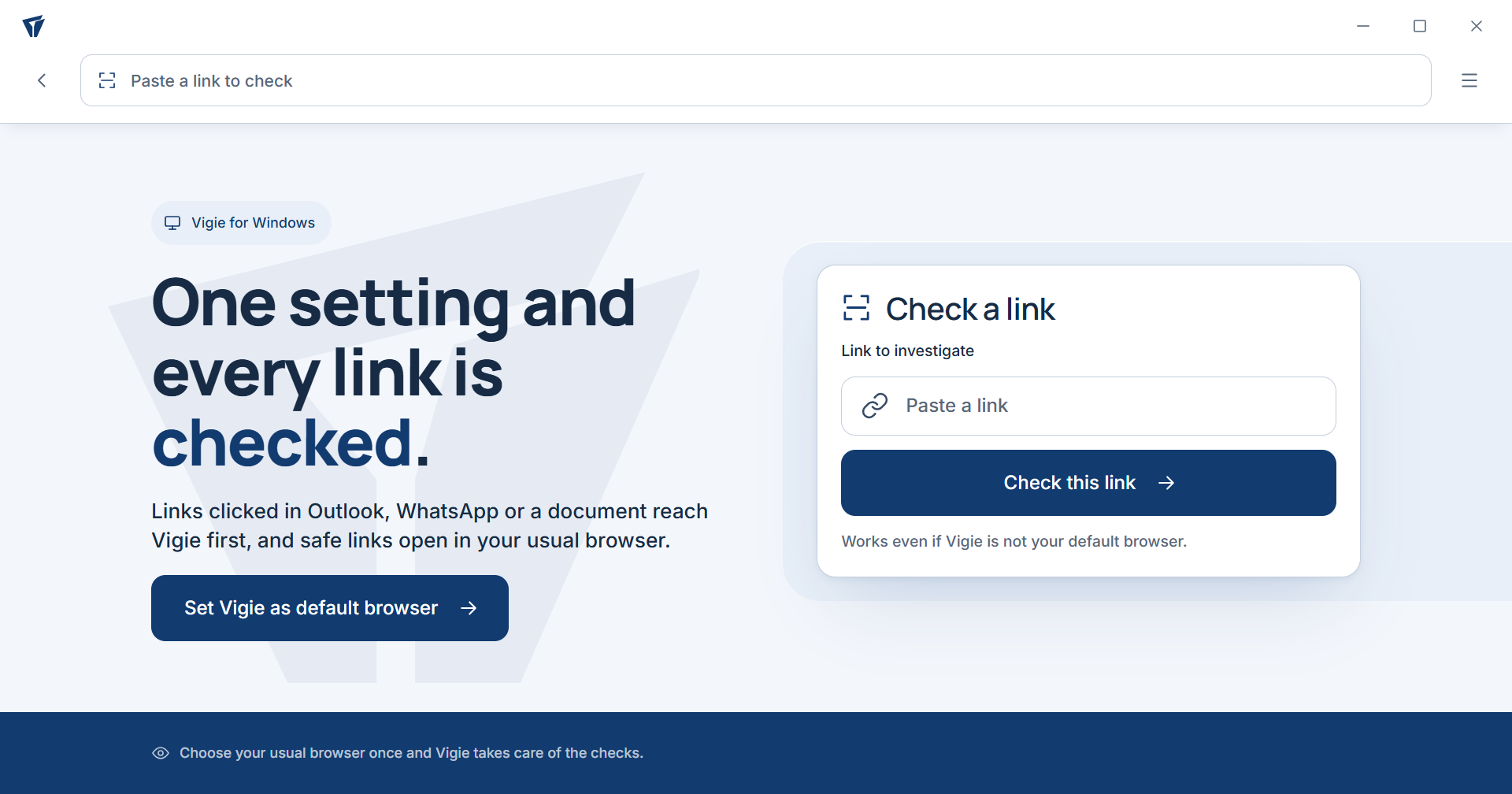 The Windows client intercepts links from other applications and hands safe destinations to the user’s normal browser.
The server is written in Python with FastAPI. The desktop client uses pywebview and Windows integration, while the investigation engine supports nine AI providers through adapters. The Android client is still in progress.
Privacy and security choices
Vigie does not require an account. Links containing sensitive tokens, such as password-reset URLs, are not sent to VirusTotal or urlscan.io. The server refuses private network addresses, runs inside a read-only container without root and does not keep access logs.
Page content is treated as untrusted data. It is passed to the model as evidence, never as an instruction. The link and extracted page text are still sent to the selected AI provider, which is an important privacy limit users should know before using the service.
Current limits
The project is usable on the web and on Windows, but it is not finished. The Windows installer is not code-signed yet, so SmartScreen displays a warning. Android support is under development, and the detection pipeline still needs better handling of legitimate sites with unusual domains or limited public information.
The next steps are a signed Windows installer, the Android client, a public feed of confirmed phishing links for national CERTs and a Telegram bot.
Links: Live demo · Source code